
smrtPhone's Web App Dialer makes it easy to manage missed calls and call people back without delay. You can view calls and make decisions about who to contact without having to go into your CRM system.
When you Have a Missed Call:
-
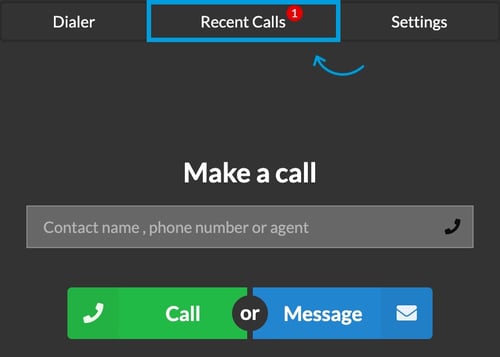
🛑 A visual badge will appear on the blue Dialer button indicating how many missed calls you have
-
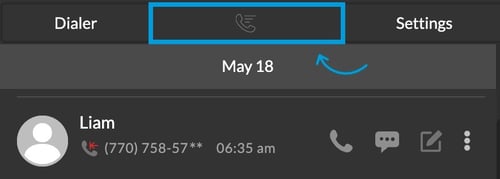
All missed calls appear in the Recent Calls tab of the Dialer
Learn how to answer a call with smrtPhone Dialer ⇢
Recent Call Tab Options
-
Identify missed calls
-
Call the contact/number back
-
Message any recent caller (missed or answered)
-
Enter or update call notes
-
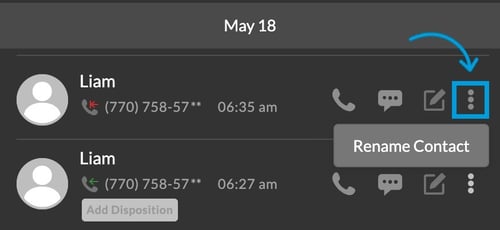
Add/Rename a contact
While you are on your Dialer you can also rename contacts.
Access Recent Calls on your Dialer, press the three dots ( ⋮ ) next to a call, and rename the contact from there.
Watch this short video to see the functionality in motion:
(Disclaimer: even if the video displays a previous version of the Dashboard, the dialer functionality is the same)
