
This article is for Podio Users. If you have any of the other integrated CRMs, and you would like to create custom Call Statuses, head over here ⇢
smrtPhone allows you to add custom inbound or outbound statuses that you can later trigger and use from the dialer.

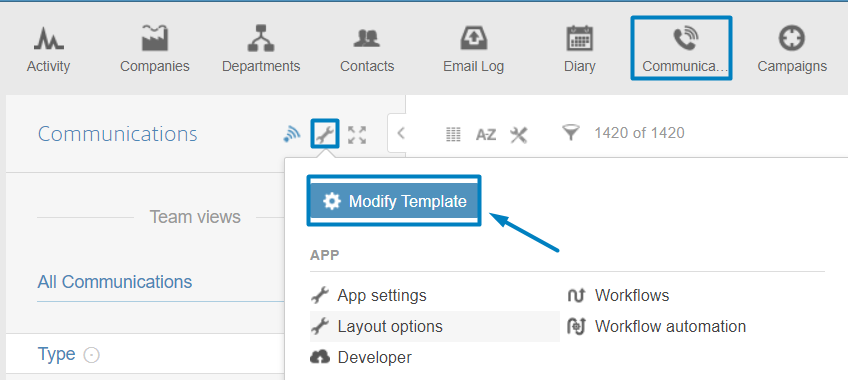
To add a new status, you will need to head over to your Communications App inside Podio and to edit the template by clicking on the little gear ⚙️ icon Modify Template.
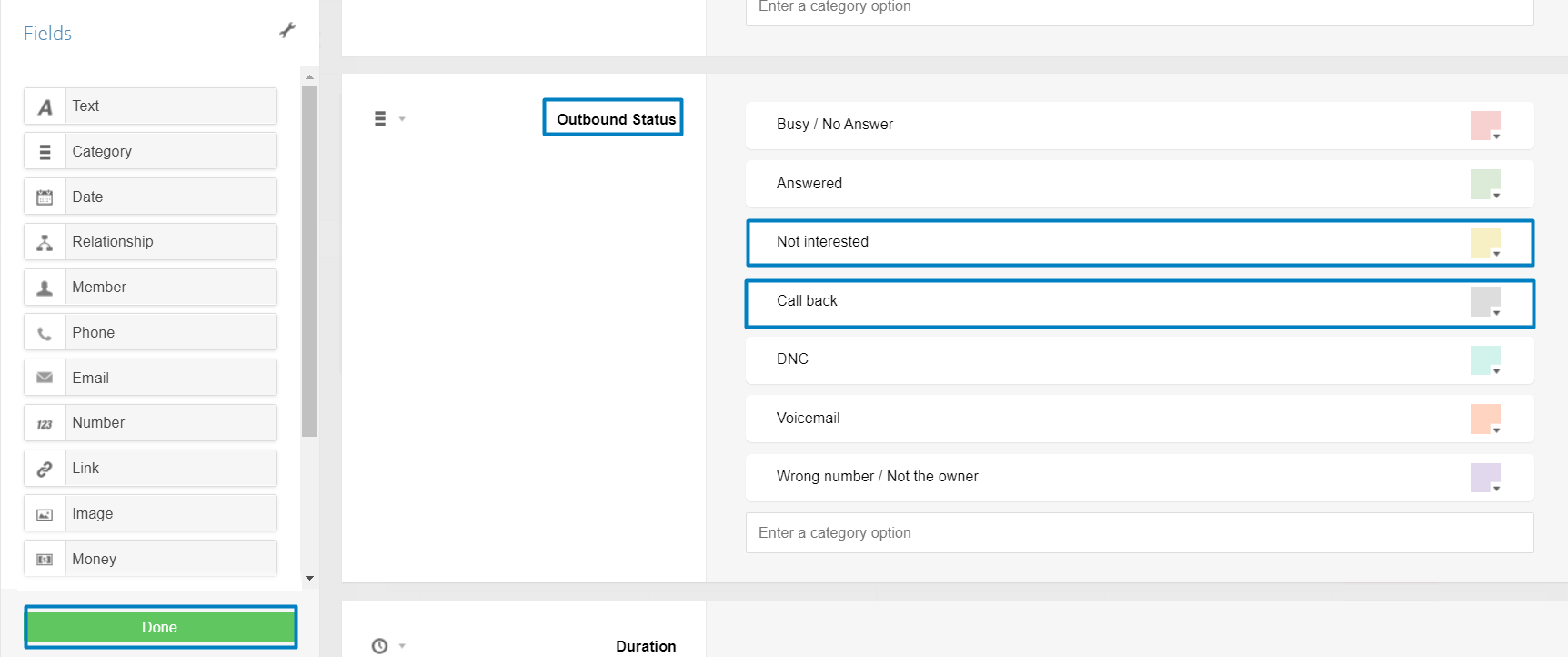
From here, all you need to do is to edit your Inbound or Outbound status by adding a new category that will be transformed in a button inside smrtPhone. For this example, new categories are added under the default ones and the template will be saved by pressing Done.
Please do not delete or modify the default template and values, as this will trigger errors in the system. You should ONLY add values next to the default ones.
As you can see, the new category is now present inside the dialer as an option that can be selected.

