
How to Use the Round Robin Applet
The Round Robin Applet automatically distributes incoming calls among your team members in a rotating sequence, giving each User an equal opportunity to answer.
You can customize how many Users are attempted, how long each call rings, and what happens when nobody answers.
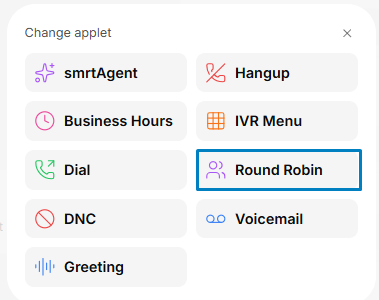
Team
After selecting the Round Robin Applet in your Call Flow, choose the Team that will receive the calls.
The order of Users within the Team determines the calling sequence. You can manage this order in the User Management section of your Admin Dashboard.
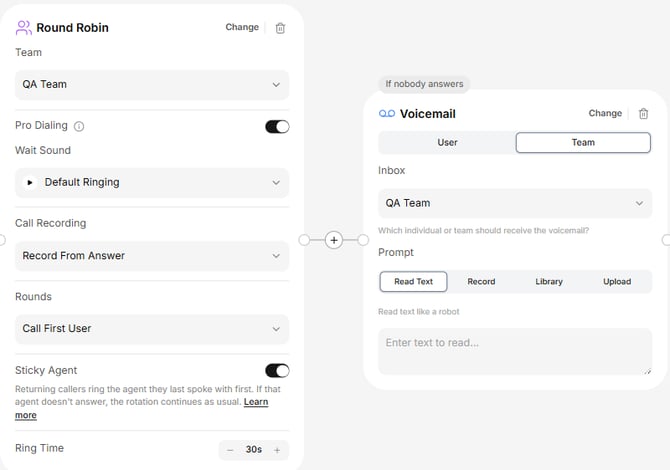
Round Robin rotates through Users rather than restarting with the first User for every incoming call.
Rounds
The Rounds setting determines how many Users will be attempted before the call moves to the next step in your Call Flow.
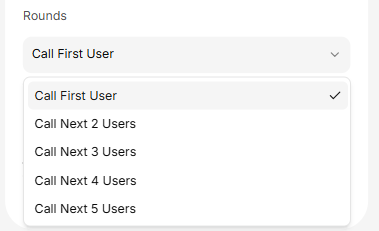
For example, if you select Next 3 Users:
- The call rings User 1, then User 2, and finally User 3 if nobody answers.
- If all three Users miss the call, it advances to the next step in the Call Flow.
- The next incoming call starts with User 4.
If User 1 answers, the next incoming call starts with User 2.
This rotation helps distribute incoming calls fairly while increasing the chances of reaching an available team member.
Ring Time
Ring Time determines how long each User's phone rings before the call moves to the next User.
For reference, 20 seconds is approximately 3–4 rings.
Example: A Ring Time of 30 seconds with Next 4 Users can keep a caller waiting for up to 2 minutes before advancing to the next step.
Choose a Ring Time that balances your team's availability with a positive caller experience.
Call Recording
Choose when call recording begins:
- From Ringing: Start recording when the call begins ringing.
- From Answering: Start recording when a User answers.
- Off: Disable call recording.
Learn more in Intro to Call Recording.
Sticky Agent
Sticky Agent prioritizes the User who previously spoke with a returning caller, helping maintain continuity in customer conversations.
When enabled, that User is attempted first.
If Nobody Answers
If no User answers, you can direct the caller to Voicemail or another Applet in your Call Flow.
Customize this step to ensure callers always have a clear next option.
