
Sending automated text messages from Salesforce is possible with proper configuration from the CRM side.
smrtPhone Partner Left Main REI has developed an easy way to send automated text messages powered by smrtPhone using their pre-configured Cadences. It is less expensive than Salesforce's option of High Velocity Sales. If you are interested in this feature, we recommend reaching out to Left Main.
If you are using Left Main, it requires a quick setup to insert the smrtPhone API token within your Left Main Cadence setup. First, you need to connect the API, and then you need to select the specific smrtPhone numbers for each Cadence.
Step 1 - Connect smrtPhone's API to enable automated texting
In Salesforce:
-
Go to Setup (⚙️)
-
In the Quick Find box, type Meta and select Custom Metadata Types
-
From the list, select smrtPhone Config
-
From the middle of the window, click the button labeled Manage smrtPhone_Config (Object created by Left Main REI)
-
Then, select Initial configuration
Then, head over to smrtPhone
-
Go to Admin from the left navigation
-
From the sub-menu, click on API Tokens
-
Click Show Token
-
Copy the token that is revealed
Now, go back into Salesforce:
-
From the Initial Configuration screen, click the Edit button in the middle of the window
-
Paste the Token into the field labeled access token
-
Click Save
Step 2 - Add smrtPhone number to Each Campaign
Still in Salesforce, after you purchase or port your numbers in smrtPhone, you must assign a number to each Campaign in Salesforce.
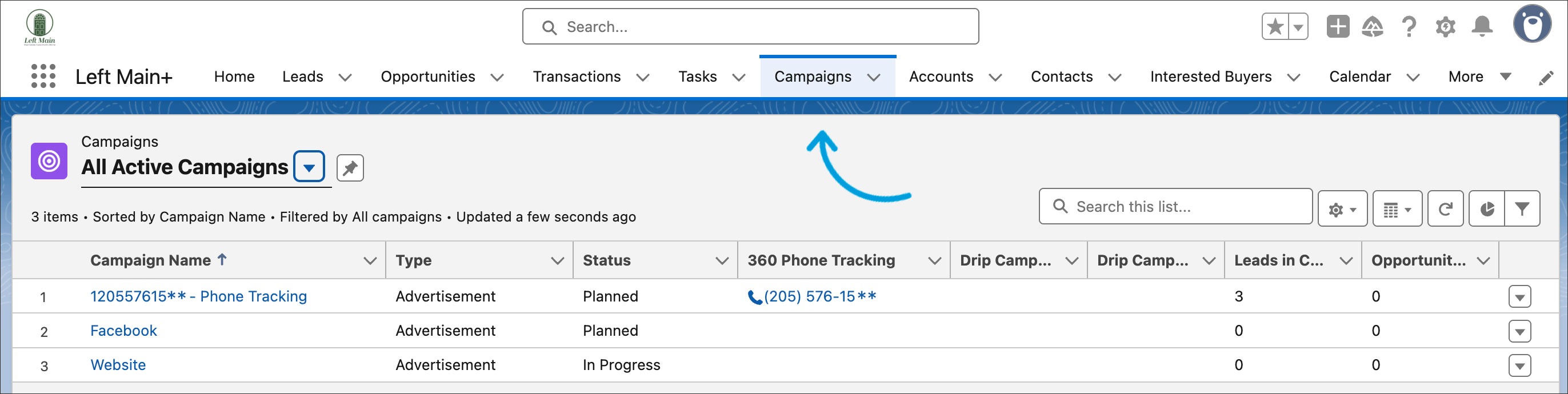
Head to your Campaigns section:
-
Click on the Waffle menu (9 dots top left)
-
Type in Campaigns to get to your list of campaigns
-
Click on an existing campaign OR click the New button to add a new one.
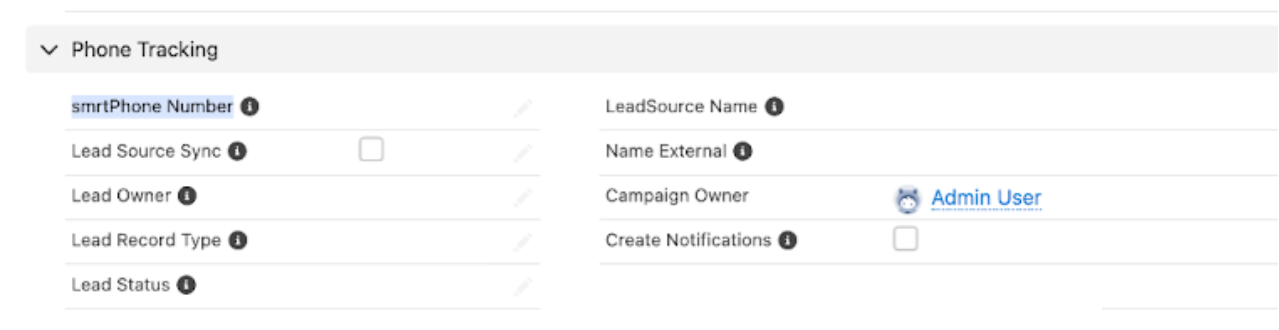
Add your smrtPhone number to the smrtPhone number field:
-
Associate a number to a Campaign by adding the smrtPhone number field
-
Type in or copy/paste the number you want it associated with this particular Campaign
-
Hit Save
Make sure that all campaigns have an associated smrtPhone number for proper linking, tracking, and Cadence functionality!
