
Call Waiting Options
When an incoming call occurs, the system will show on the upper part of the dialer's box some action buttons you can use:
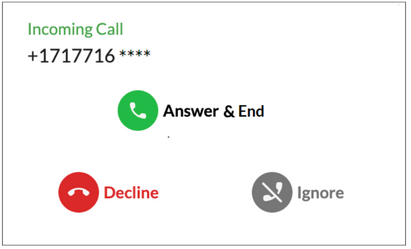
📞 Answer & End - Picks up the second incoming call and drops the one you are engaged in. You can only answer one call at a time and cannot place it on hold.
📵 Decline - Declines the incoming call, sending it immediately to the next step in your Call Flow. You will find them in the Recent Calls and you can come back to it when you end your current conversation.
🤳 Ignore - The call will continue through the entire Ring Time (as set by your Call Flow) yet you will not hear the ringing disturbing your active call. This call will no longer be visible on your dialer, but you can find it in Recent Calls.
These options are available on all smrtPhone dialers.
