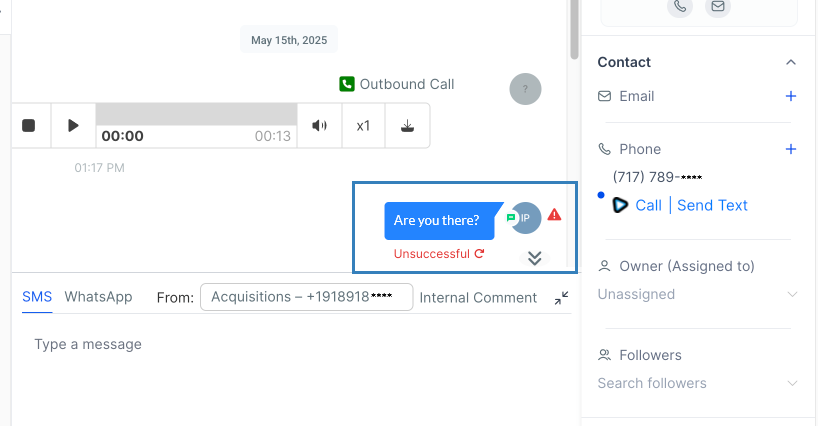
Texting with smrtPhone is another smrt way to keep your business up and running and communicate with leads and clients. Unfortunately, errors can and do occur while trying to deliver texts.
An apparent reason is that you're not registered for A2P 10DLC, but this article will cover other possible reasons your texts aren't delivering. When there's an issue sending a text, smrtPhone will notify you about the problem.
Besides the Undelivered Text notice, each error code corresponds to a possible cause of failure.
These reasons are visible both in smrtPhone and within your CRM.
Example Errors:
Status: Undelivered
Failure reasons:
-
The destination number you are trying to reach is blocked from receiving this text message (e.g. due to blacklisting).
-
You tried to send too many messages too quickly, and your message queue overflowed. After waiting some time, try sending your message again.
-
Your account was suspended between the time the message was sent and delivered.
-
The destination handset you try to reach is switched off or unavailable.
-
The destination number you are trying to reach is unknown or may no longer exist.
-
The destination number is unable to receive this message. Potential reasons include trying to reach a landline or, in the case of a short code, an unreachable carrier.
-
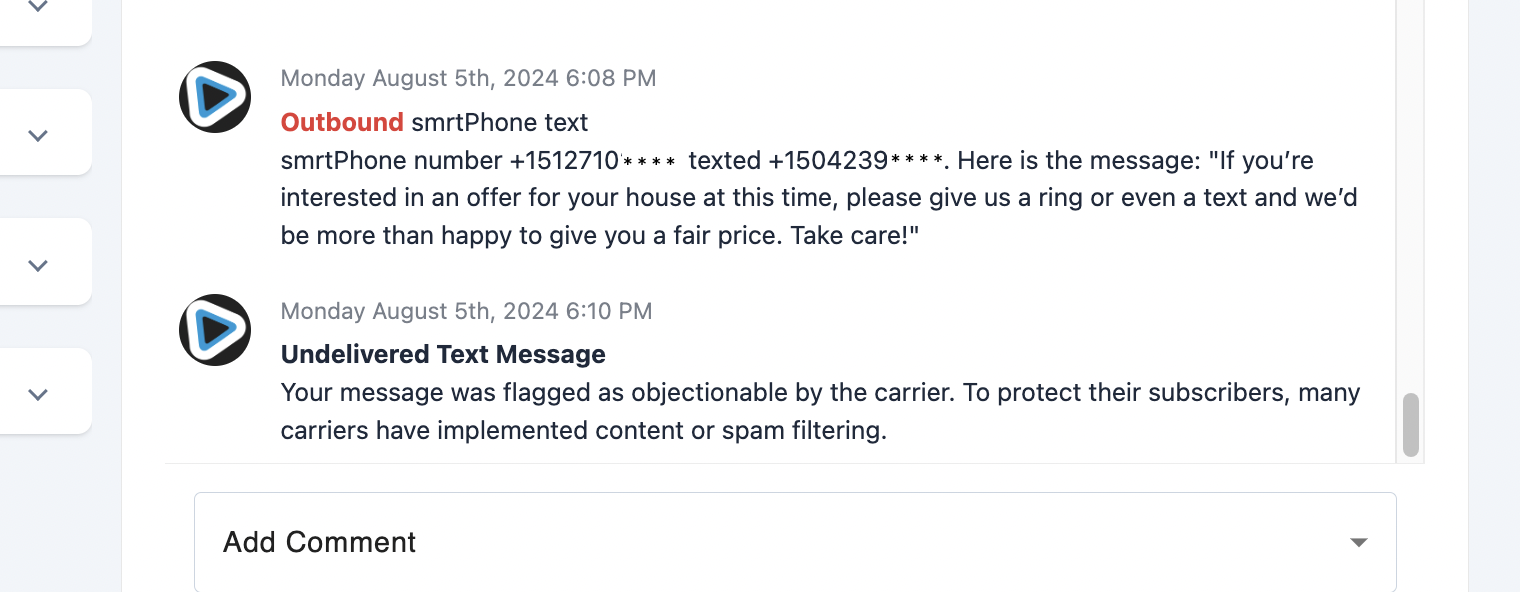
The carrier flagged your message as objectionable. Many carriers have implemented content or spam filtering to protect subscribers.
-
One or more segments associated with your multi-part inbound message were not received.
-
Downstream Carrier Error - smrtPhone is a multi-carrier platform, and one of our underlying carriers may be experiencing an outage. Or the receiving carrier may experience an outage.
-
You have sent the maximum allowable daily messages for your Brand to the Carrier, based on your A2P campaign. (For example, T-Mobile only allows 2000 messages per day.)
-
You sent a message to a mobile number in a country that requires Numeric Sender ID pre-registration and provisioning. The carrier is not currently provisioning the numeric sender ID.
-
The Toll-Free number you sent from has not been verified through the required verification process.
-
Your message could not be sent because you are sending this message from a suspended U.S. A2P 10DLC Campaign.
-
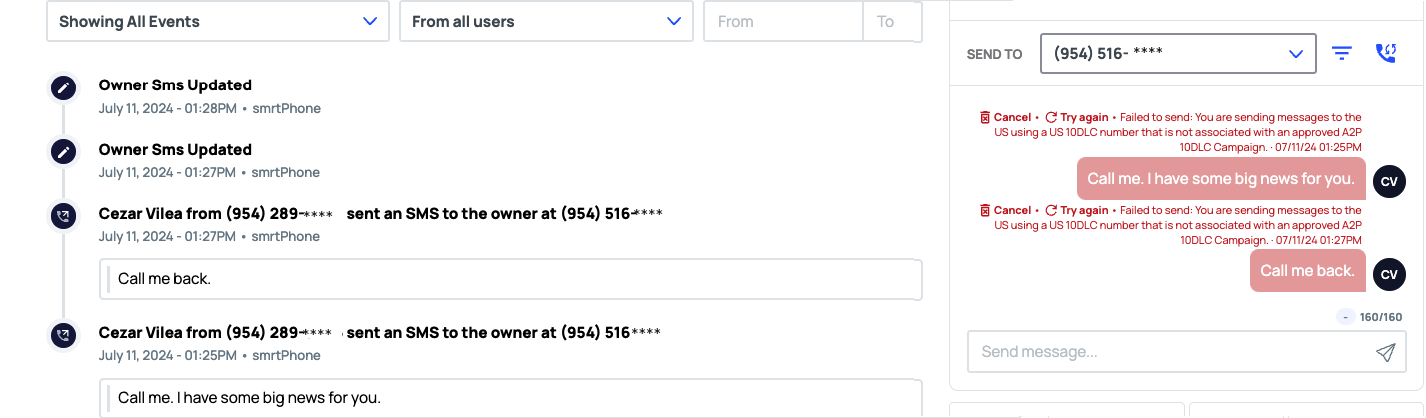
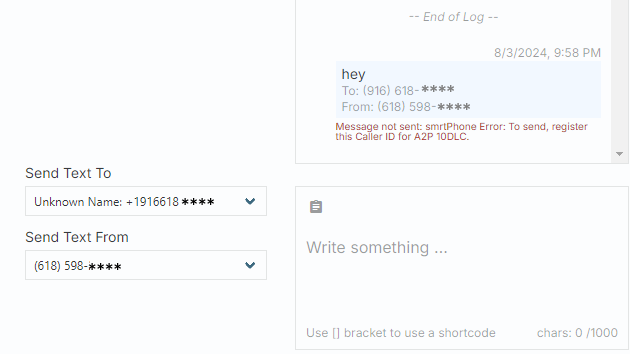
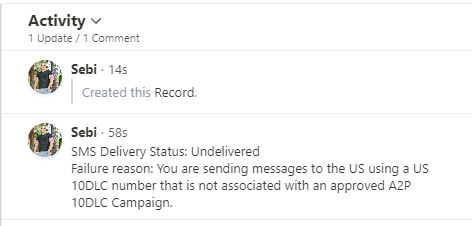
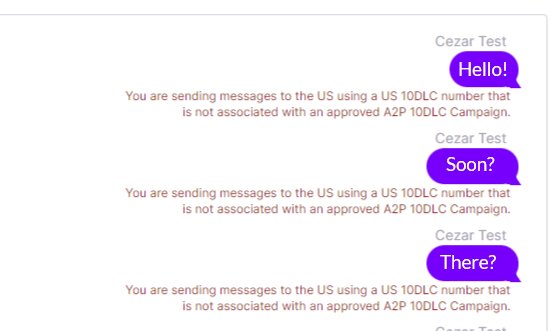
You are sending messages to the US using a phone number not associated with an approved A2P 10DLC Campaign.
-
The Carrier is still processing your Number Registration requests with their ecosystem partners for US A2P 10DLC.
-
Your A2P 10DLC number failed to be registered or appropriately attached to an approved campaign.
-
The carrier's platform encountered an internal error while processing the message.
If the error does not fit into any of the above categories, and you see a notice saying SMS Delivery Status: Not Delivered, your next step should be to contact our Support Team.
Check for Errors in smrtPhone or CRM
👤 smrtPhone Account
You can find errors in your Inbox and the Webhooks tab in the Logs section.
In the Inbox, you can see that the message was not delivered, and a pop-up specifies the error.
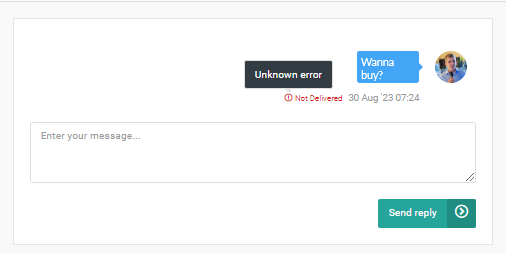
Errors appear in every Inbox: Web App, Chrome Extension, CTI Dialer and Mobile App (for the moment only on iOS).
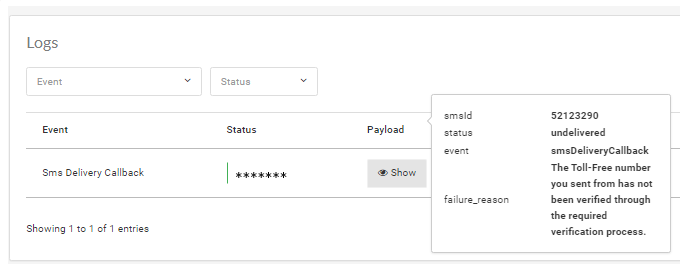
In Webhook Logs you can see the status, the Event triggered, and the cause of the failure.
🌐 Podio
smrtPhone will send a notification to your Contacts App, in the Comments section on the right.
☁️ Salesforce
smrtPhone will update your Tasks and let you know if an error occurred as well as the cause of failure. Keep in mind it only shows the status and not the reason. It will change Task's title.
-Jan-23-2026-04-16-09-1411-PM.png)
🏔️ InvestorFuse
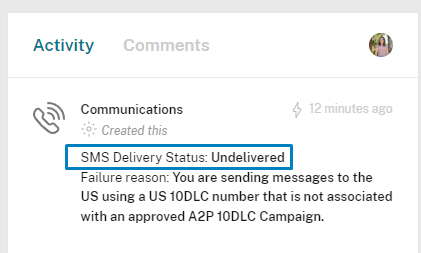
InvestorFuse Users can find the undelivered message notice under the sent message that triggered it, in the Activity and Communications tab.
🥷 DataSift
Errors appear as activity and the details are in the right text box, as a text message.
🟧 Forefront
Find the not delivered notice under the text that did not go through, in Contacts.
⬆️ Realeflow
In the Activity and Communications Tab where you can find the SMS/Call Logs, when clicking on the Contact to see activity, you will also find a note about the SMS that was not delivered.
📼 Tape
smrtPhone will send to your Contacts App, for each item that registered an activity, in the Comments section.
ℹ️ Invelo
You can see these errors displayed in your Chat box on your Invelo Dashboard. Head to that particular contact and open the conversation in the Chat box.
🏘️REI Software CRMs
In the Activity and Communications Tab where you can find the SMS/Call Logs, when clicking on the Contact to see activity, you will also find a note about the SMS that was not delivered.
🥕 Carrot
smrtPhone will display any potential errors in your Activity and Communications tab.
📊 GoHighLevel
smrtPhone will display any potential error in your Conversations (it also applies for Contacts and Opportunities since they also open a conversation)