
If you would like one-click dialing or texting from within DataSift, you must have the smrtPhone Chrome Extension enabled.
Install the Chrome Extension following these instructions here: How to Install the Chrome Extension ⇢
Moreover, find out about the different Chrome Extension Settings options available for this product ⇢
After you install, pin, and customize your Chrome Extension, you will also be able to use this functionality on any tab you're on and even within your CRM.
Learn how to call or text using the Chrome Extension ⇢
While on your CRM page, you can also use the option click-to-call, without opening the extension.
On the right part of the screen, on each record, you will see the phone icon and the Send message options, which are linked to this extension.
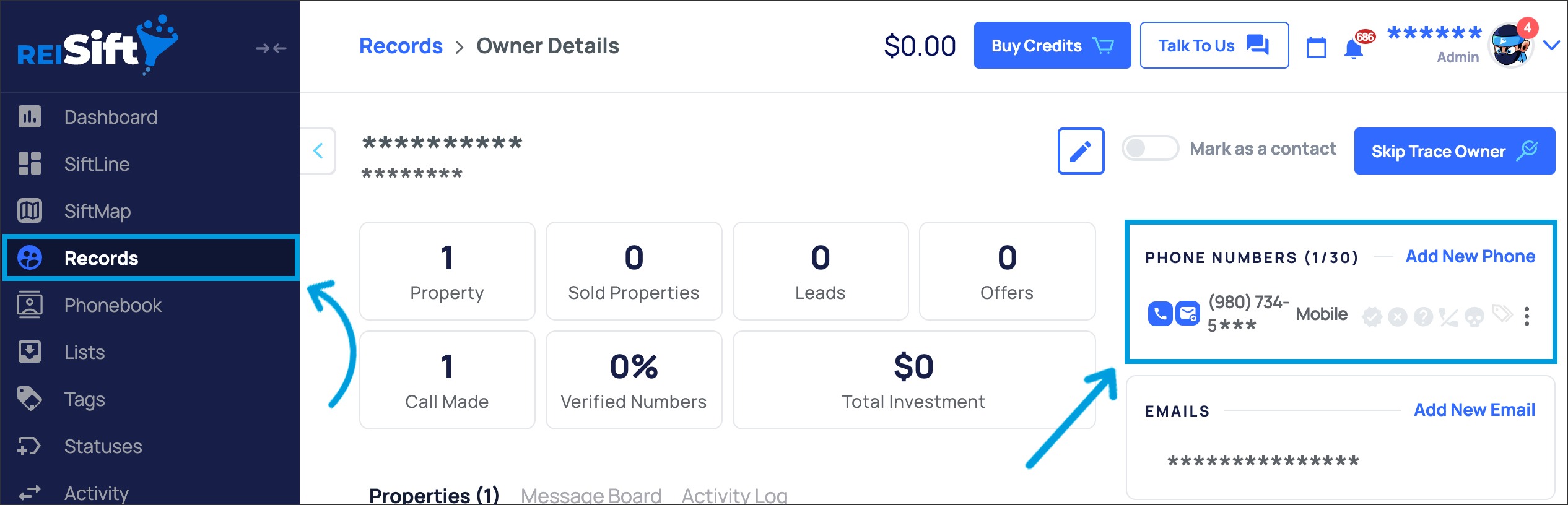
By pressing either the phone icon or the message text, you will initiate a call or send an SMS text message to the particular record contacts that you selected.
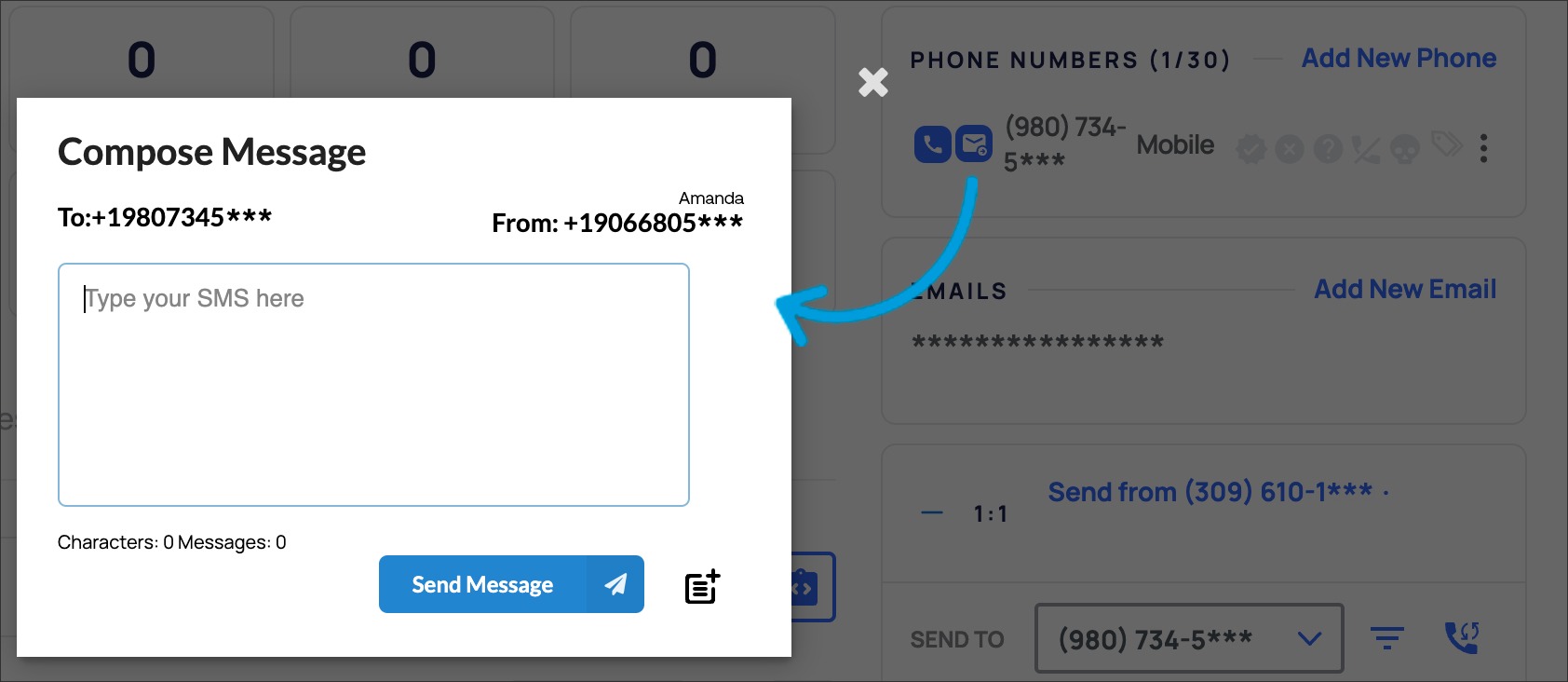
On clicking, either the Extension's banner shows up - if it is a call, or the Compose message pop-up appears.
Once the call is finalized / the message is sent, the pop-ups will hide until you need them again.
As for using the smrtPhone Chrome Extension, you must have previously purchased a smrtPhone number. The same principle applies to Mobile Apps.
